Know today
whether your budget
lands on plan.
Upload your Google Ads or Meta spend export. Pacefy compares it against your plan, shows you a pacing status per budget, and projects where you'll land at the end of the month.
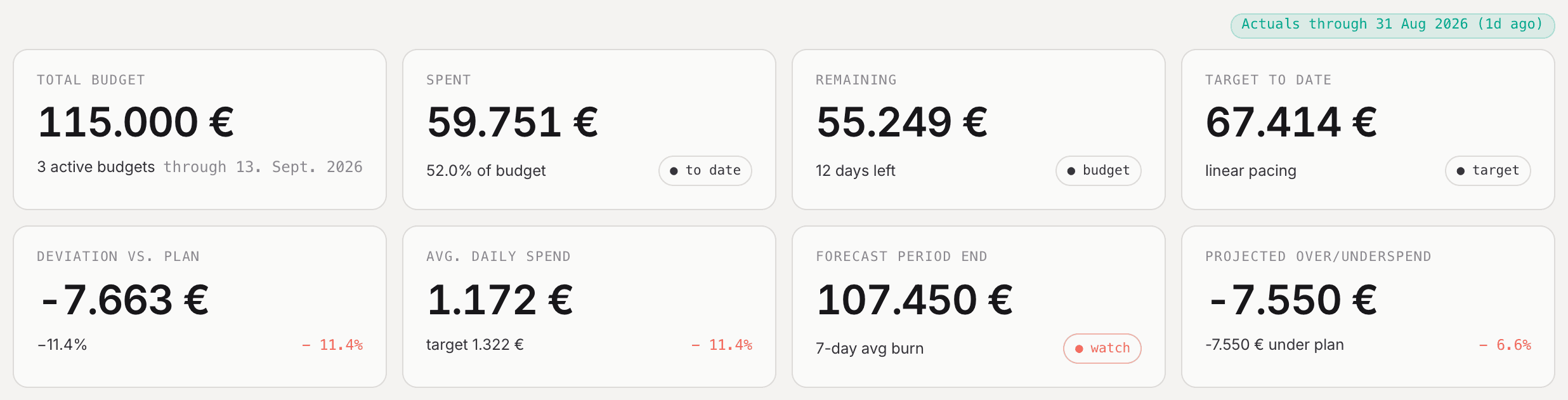
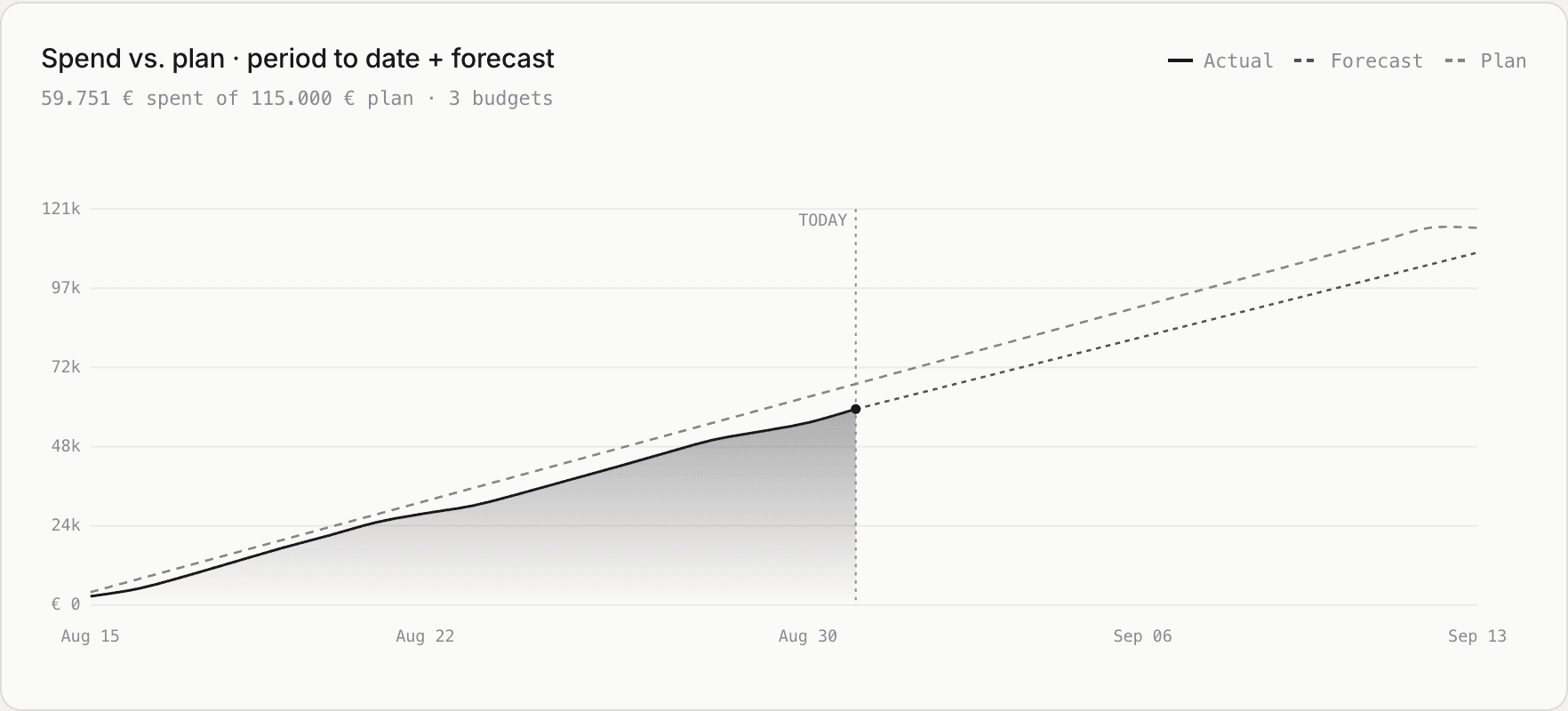
Actual screenshots of the Pacefy dashboard, running on a demo account.
A pacing number is only
as good as the data under it.
Most pacing tools quietly compare your spend to today's date. If your data is three days old, that reads as under-pacing when nothing is actually wrong. Pacefy does the arithmetic differently, and shows its working.
Anchored to real data, not to today
Pacing is calculated against the last day you actually have data for — and Pacefy tells you how old that is, on every figure it shows.
Published thresholds, not a vibe
Spend divided by what the plan says you should have spent by now, on a straight-line basis. Here are the exact bands Pacefy uses. No hidden weighting.
Where this period ends up
Pacefy averages your spend over the last seven days with data, and carries that rate forward across the days remaining.
Two more things worth knowing. Budget amounts are versioned — editing one writes a new version rather than overwriting the old, so the plan you agreed in March is still there in June. And campaigns whose name contains a budget's identifier code are suggested as matches, never assigned silently: you confirm every mapping yourself.
Three steps.
No setup call.
Define a budget
Give it a name, an identifier code, a start and end date, and a total amount.
Bring in your spend
Export a spend report from Google Ads or Meta and drop the CSV in. Pacefy works out the columns for you.
Read the status
See spend against plan, a pacing status per budget, and a projection of where the period ends up.
Where Pacefy actually
stands today.
Plenty of tools advertise integrations they are still building. Here is the honest state of ours, so you know exactly what you get when you sign up.
CSV import
Export a spend report from Google Ads or Meta and upload it. Columns, date formats and decimal separators are detected for you. This is how every Pacefy account works today, and it is the path the product is built around.
- Google Ads and Meta export formats
- Up to 10 MB or 100,000 rows per file
- An upload never overwrites existing data
- Delete a bad upload in one click
Direct read-only sync
A daily connection that reads campaign spend straight from your ad account, with no export step. The code is written and in the product; it needs approval from Google and Meta before we can switch it on.
- Read-only scopes only (Google adwords, Meta ads_read)
- Pacefy cannot create, change, or pause campaigns
- Access tokens encrypted at rest, deleted when you disconnect
- Reads once per day, not continuously
Until that approval is granted, importing is export-based. If you sign up today, plan on uploading a CSV — everything on this page works that way.
One person,
in Rosenheim.
Pacefy is built and run by Malte Hoffmann. I manage ad budgets myself, and I got tired of rebuilding the same plan-versus-actual spreadsheet every month to answer one question: are we on track, or not?
So this is a small tool that answers that one question properly, rather than a suite that answers twenty questions vaguely. There is no team behind it, no investors, and no growth target that depends on overselling what it does. That is also why this page tells you what is not built yet.
If something is broken or missing, the email below reaches me directly.
One price.
Every budget you run.
No ad-spend tiers, no per-seat pricing, no quote call. Start with a 14-day trial and decide afterwards.
- Unlimited budgets and campaigns
- CSV import for Google Ads and Meta
- Pacing status and end-of-period projection
- Versioned budget plans
- 14-day free trial, no credit card